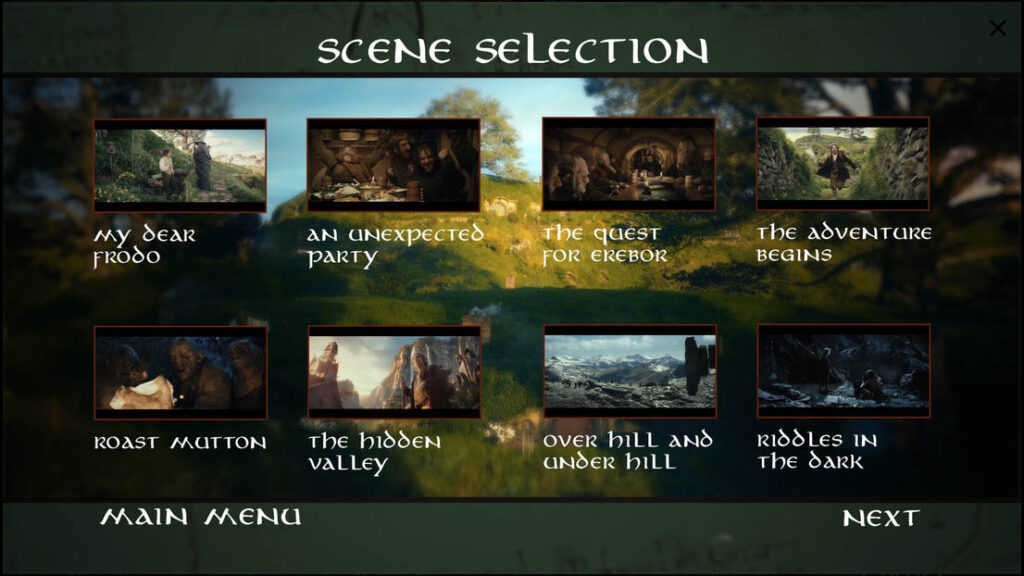
Blu-ray menu on Android TV models Dune HD
We first encountered the Dune HD Media Center application in connection with the first Android TV device, the Dune HD Homatics Box R 4K Plus, released in January . Under Android TV, where the manufacturer cannot interfere with the system (primarily due to Google’s criteria for running Netflix and other streaming services), a separate launchable application offers the usual media playback capabilities and interface of the Dune HD. At the time of its release, the promise was made that in future updates, the Media Center application would catch up with the media playback capabilities of non-Android TV Dune HD players, and would receive all the functions that have made the manufacturer’s devices unique and successful since 2006. Now we are once again closer to fulfilling the previous promise…
Let’s look at the cause-and-effect relationships, why does an Android TV application exist, when for almost 20 years, all you had to do was turn on the Dune HD media players, and after booting, behind a completely unique interface, without any installation, we got all the functions for uncompromising media playback!
- While the previously used Sigma Designs media processors could use the Linux operating system, any manufacturer was given complete freedom to create any unique system (user interface, operation) for their own hardware that they wanted.
- After the disappearance of Sigma Designs media processors, the chip manufacturer only offered Android for the better media processors available, so this operating system had to be used on the players.
- Although the Android system can be modified and customized to a very wide extent, in many aspects (e.g. stability, updates, applications, and the management of certain external devices), the operation of all Android devices will be very similar or identical.
- The Dune HD has surprisingly managed to transition to the Android platform. The interface developed on Linux models has been transferred one-for-one to Android players, and Android is practically completely hidden from the user. As long as we do not want to run Android programs, use the Play Store, or update the system, we practically do not encounter anything during use that would indicate that the Android operating system is running in the background. The special Android+Linux parallel solution of the Dune HD contributes greatly to this; thanks to this, the user experience here is completely different compared to Android players from other manufacturers.
- However, a significant number of users have now come to expect that, in addition to playing their own media files, premium online streaming services ( Netflix, Disney+, Amazon Prime Video, HBO Max, SkyShowtime , etc.) should be available on a player that otherwise serves the home theater system in excellent quality. However, most of these services can only be used in maximum quality (i.e. up to 4K resolution, multi-channel sound) in strictly defined software and hardware environments – primarily due to copy protection.
- In 2023, the use of Google’s Android TV operating system will be a necessary requirement for devices capable of running Android. With all the advantages and disadvantages of this…
- So, if we want to use Netflix and its peers without restrictions on a Dune HD media player, it must run a practically “untouched” Android TV operating system that meets strict specifications. This way, the interface will be the Android TV interface on every device. There will be no pre-installed custom applications in the system. The remote control will be Google’s standard remote control, there are no custom solutions. The system can output sound at 24-bit up to 48 kHz. Not all media processors are supported by Android TV, such as Realtek, which is preferred by the Dune HD. Etc., etc.
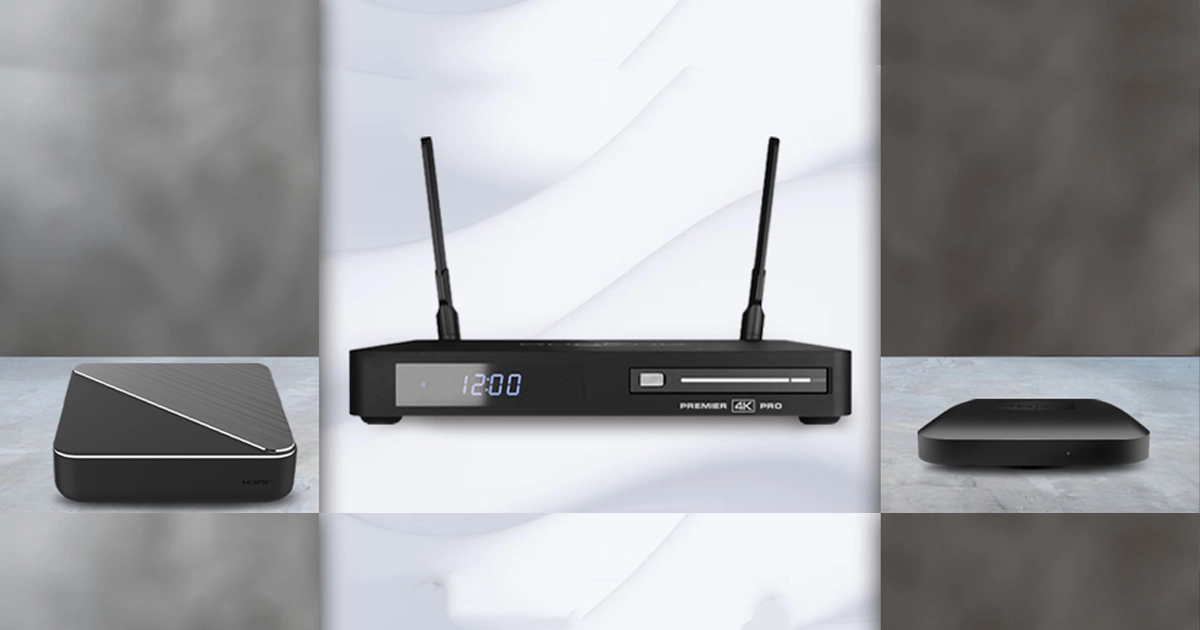
- Because of the above, the Android TV-based Homatics Box R 4K Plus , produced by a third-party manufacturer, was added to Dune HD’s product range in January , then in February – not even Dune in its packaging – BOXY with Dune HD Media Center , and finally – but certainly not last – in August the Premier 4K Pro , which is now a completely “in-house” product from Dune HD.
- When the above 3 devices are turned on, the same standard Android TV system is installed as on similar players and set-top boxes from countless other manufacturers. Even if we install any media player application from the Google Play Store (which we can do without further ado, of course), we would not get the convenient handling, file compatibility, stability and speed during playback that we would expect from a Dune HD. However, even fanatic Netflix fans would probably like to play their own files from time to time with Dolby Vision, HDR10/HDR10+ images, original frame rates, presenting their unique collection on a spectacular jukebox interface. If only because of the quality, since compared to Netflix’s max. 25 Mbit data stream, a 4K Blu-ray disc can be up to 128 Mbit/s – and more data means much better image and sound quality. This results in a visible difference in favor of Blu-ray or Blu-ray rip files even on an average TV.
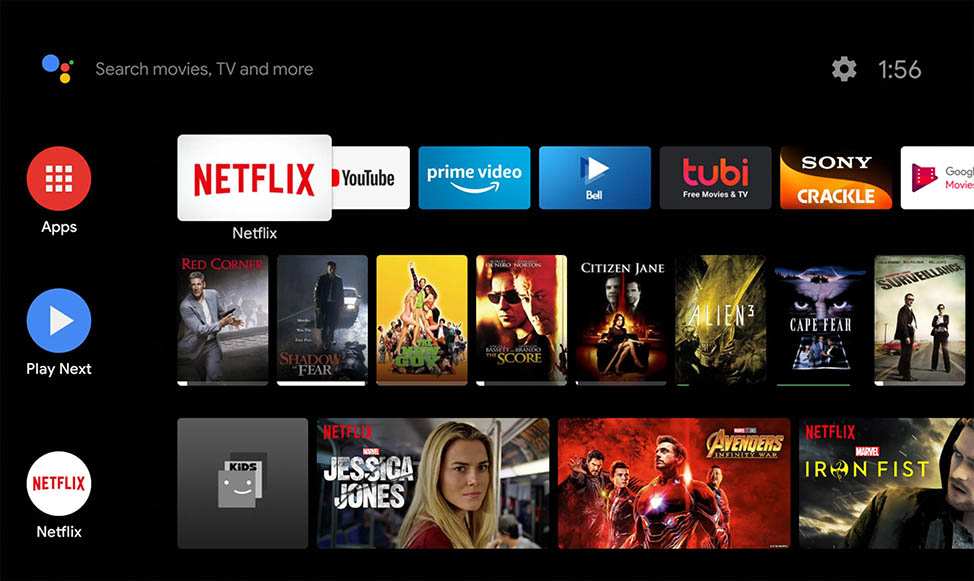
Based on the above facts, there is only one option left for hardware manufacturers who want to add something extra to their players beyond the functions and services offered by Android TV: they make their products unique and more knowledgeable through a media player application tailored to their own electronics and making maximum use of it. In the case of Dune HD, this is the own Android TV application, Dune HD Media Center . This has to be installed manually, even on newly purchased Dune HD players, unfortunately it cannot be embedded in the operating system, which is already pre-installed, of course.

Dune HD promised no less when announcing the Homatics Box R 4K Plus than that the Dune HD Media Center app would quickly be synchronized with the non-Android TV models, and all new features would be available on both “platforms.” From now on, there are two platforms in the Dune HD player range, the unique Android+Linux and the standard Android TV, until there is a media processor+operating system pair that is perfect for home theater, while also fully supporting premium streaming services.
With the latest update of the Dune HD Media Center application, we have taken a big step towards fulfilling the above promise; it now supports Blu-ray menus! Only for Blu-ray folders (not ISO files), and only from local (USB, internal disk, SD card) sources, not over a network, but theoretically with the same outstanding compatibility that has made non-Android TV Dune HD players stand out from their competitors in recent years.
If we compare the latest firmware updates for Android+Linux based players and the latest version of the Dune HD Media Center app , we can see that several new features have arrived on both platforms at the same time, the Media Center has improved in many ways, so they will soon be truly in sync. We are excited to see new updates for both product lines, and also to see visitors to the Hifi Show at the end of next week , who will be able to try out all the Dune HD media players live in the Purple room of the Crowne Plaza hotel!