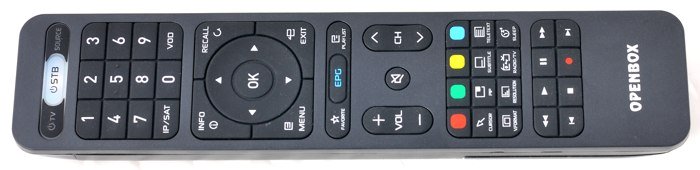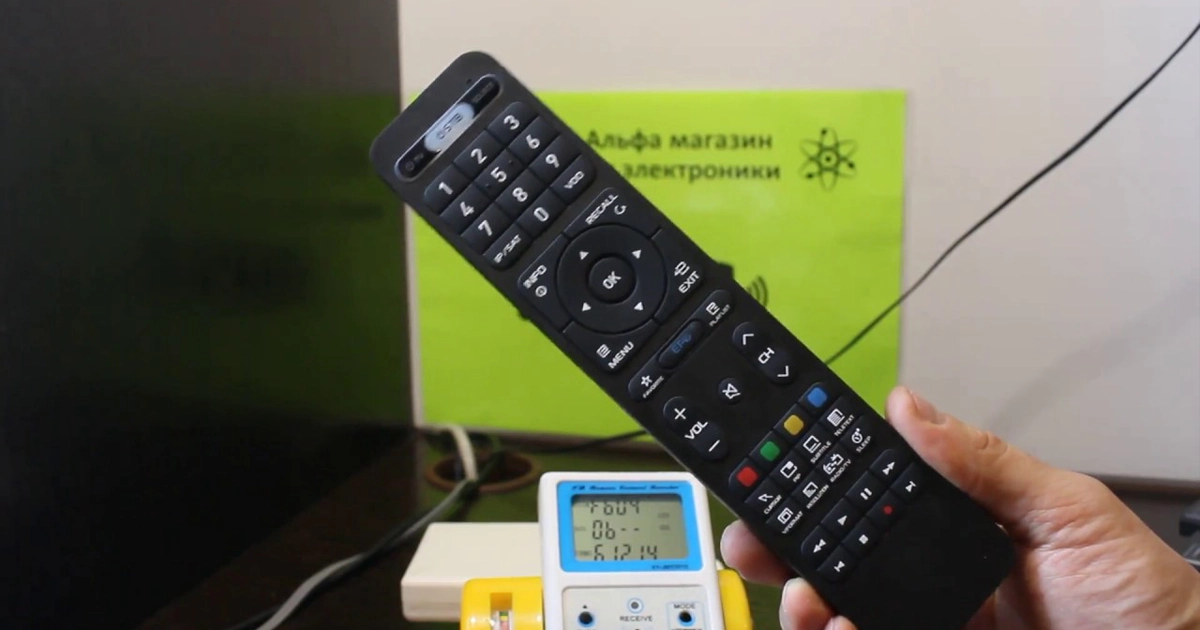
This is a remote control that comes with the Openbox AS4K set-top boxes.
A classic корпус design, slightly convex buttons, and optimally balanced pressure for comfortable and precise pressing.
Compatible with the following models:
- Openbox S4
- Openbox S6
- Openbox S6 Pro
- Openbox S7
- Openbox S8
- Openbox S9
- Openbox SX4
- Openbox SX6
- Openbox SX9
- Openbox AS1
- Openbox AS2
- Openbox AS4K
- Openbox AS4K CI
- Openbox AS4K CI Pro
- Openbox AS4K 2X
- Openbox AS4K CI Lite
- Openbox AS4K Lite
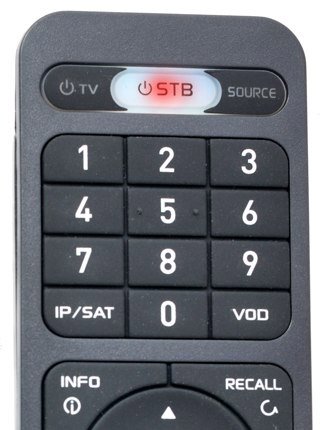
The main advantage of the remote is located at the top: the transparent STB button features a red backlight, and on both sides there are TV control buttons (power and input selection).
This means that by purchasing the Openbox AS4K CI Lite / Lite, you can put away your TV remote and control two devices using just one remote control.
To pair the Openbox AS4K CI Lite / Lite remote control with your TV, follow these steps:
- Press and hold the SOURCE button on the Openbox remote until the red indicator stops blinking (about 5 seconds).
- A steady red light indicates that the remote has entered learning mode.
- Press the button on the Openbox remote that you want to program (TV or SOURCE).
- The red light will start blinking slowly, meaning the remote is ready to receive a command.
- Point the TV remote at the Openbox remote and press the corresponding button (POWER or SOURCE).
- Three quick flashes confirm that the button has been successfully programmed.
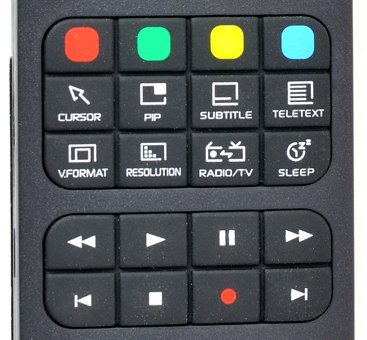
The remote also features a number of functional shortcut buttons, including format and resolution switching (V. FORMAT, RESOLUTION), as well as a sleep timer (SLEEP).
All PVR control buttons are located in the lower section of the remote, which positively affects ease of use when watching media libraries and using functions such as recording, Time Shift, and more.