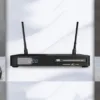
Using Sat-Integral receivers (S-1221 HD Stealth, S-1210 HD Aron, S-1223 HD Rocket, S-1412 HD Rocket,
S-1432 HD Combo, S-1218–1268 HD, Open SX1, Open SX2 Metal, and others), you can use the GSHARE service
to watch paid satellite TV packages for free for a period of 6 to 15 months, depending on the model.
1. Receiver Preparation
Update your receiver firmware to the latest version.
Connect the receiver to the Internet (LAN or Wi-Fi).
Enable the emulator, as this function is not available in the factory firmware.
Once the emulator is enabled, the menu will display “Server Setup”.
On most Sat-Integral models, the emulator is activated via the remote control combination:
F1 + 000 → "patch activated" appears on the screen
2. Activating GSHARE
Go to Menu → Network → Server Setup.
Enable the GSHARE protocol (usually on server 15 or 40).
Select “Yes” to activate and press OK.
The start and end date of the service will be displayed upon successful activation.
On the latest models (S-1412 HD Rocket, S-1432 HD Combo), the server may be named Forever.136,
but the process remains the same.
3. Connecting to the Internet
For GSHARE to work correctly, the receiver must be connected to the Internet:
DHCP (automatic IP): Enable DHCP in network settings.
Manual IP configuration:
IP Address: 192.168.0.2
Subnet Mask: 255.255.255.0
Gateway: 192.168.0.1
DNS: 8.8.8.8
Gateway is the router’s IP, and DNS is Google’s public DNS server.
Check your connection using the green button (connection test).
4. Main Remote Control Button Combinations
Combination
Function
F1 + 000
Emulator on/off
F1 + 111
Select UART mode
F1 + 222
Ident list for manual binding
F1 + 333
Manual input of Constant CW
F1 + 444
Manual key input
F1 + 147
Edit keys
F1 + 555
IP settings
F1 + 666
Server settings
F1 + 777
Auto IP
F1 + 999
Motor settings
5. Restarting GSHARE Servers
Go to Menu → Advanced / Network → Server Setup.
Press F1 and confirm with OK.
If the GSHARE service period has not expired after activation, all previous settings will be restored.